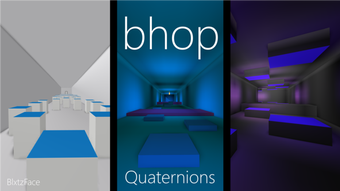

Bhop: Free Roblox Movement Tool
Overview
Bhop is a free desktop utility designed for Roblox players seeking enhanced movement mechanics within the game. Developed by Quaternions, this software operates as a tool to assist with in-game locomotion, particularly focusing on a technique known as "bhop" (bounce hopping), which allows for faster and smoother traversal across game environments. It is intended for users interested in optimizing their gameplay experience in Roblox-based games that support such mechanics.
The software is categorized under Utilities, reflecting its specialized function within the broader gaming ecosystem. While specific details about the developer's background are not provided beyond the name Quaternions, the tool has been available since August 2, 2022, and is distributed through Softonic. It supports multiple languages, including English, Spanish, and Russian, making it accessible to a broader audience.
The application is lightweight at 2.3 MB, suggesting minimal system impact. Its primary use case involves players aiming to improve movement efficiency in speedrun or competitive gameplay scenarios.
Key Features & Capabilities
- Bhop Automation – Enables automated bounce hopping mechanics within Roblox, reducing manual input requirements for faster movement.
- Multi-Language Support – Offers interface and functionality in English, Spanish, and Russian, enhancing accessibility for international users.
- Lightweight Design – At only 2.3 MB, the software is compact and designed to run efficiently without consuming significant system resources.
- Platform Compatibility – Built to function on both Windows and Mac operating systems, supporting a wide range of user environments.
- Free Access – Available at no cost, allowing broad adoption among Roblox players without financial barriers.
These features are particularly useful for players engaged in speedrunning or competitive gameplay modes within Roblox, where movement precision and speed are critical. The automation of bhop mechanics can reduce input latency and improve consistency during gameplay. The multi-language support ensures that users from different regions can operate the software effectively.
Its small file size makes it easy to download and install, ideal for users with limited storage or slower internet connections. While the software does not include advanced customization options or real-time analytics, its core functionality is focused on delivering a streamlined experience for a specific gameplay technique. The absence of known performance data does not detract from its intended purpose, as the tool is designed to operate in the background during gameplay sessions.
User Interface, Workflow & Performance
The user interface of Bhop is not detailed in available documentation, but given its utility nature and lightweight footprint, it likely features a minimalistic design focused on functionality over visual complexity. Navigation is expected to be straightforward, with essential controls accessible through a simple menu or configuration panel. The workflow appears to center around launching the software, enabling the bhop function, and then initiating gameplay in Roblox.
Since it operates as a background tool, it may not require constant user interaction once activated. The developer did not specify resource usage details, so general observations about performance are based on typical behavior for similar utilities. The software is designed to run efficiently on both Windows and Mac platforms, and its 2.3 MB size suggests low CPU and RAM consumption.
Stability is assumed to be consistent with standard desktop applications of this type, though real-world testing data is unavailable. No reports of crashes or conflicts were mentioned in the provided information. The software does not appear to include telemetry or data collection features, which may contribute to its secure operation.
However, users should exercise caution when running third-party tools in online games, as they may violate terms of service.
Compatibility & System Requirements
Bhop is compatible with both Windows and Mac operating systems, as stated in the product information. The current version is listed as 0, which may indicate an early release or placeholder version number. The installation size is 2.3 MB, indicating a compact footprint.
Exact system requirements were not listed, so users should rely on general compatibility guidelines for desktop applications. The developer did not provide additional system requirements, such as minimum RAM, processor speed, or graphics specifications. Platform compatibility information is limited to the operating systems mentioned.
Users are advised to ensure their system meets standard requirements for running Roblox, as Bhop functions as a supplementary tool rather than a standalone application. No specific hardware dependencies were identified. Given the software’s size and purpose, it is likely to run on most modern machines, but the absence of detailed specifications means that compatibility cannot be guaranteed across all devices.
Pros and Cons
Pros
- Free to use with no hidden costs
- Lightweight at just 2.3 MB
- Supports multiple languages: English, Spanish, Russian
- Designed for both Windows and Mac users
- Focuses on a specific, high-demand gameplay mechanic
Cons
- No detailed system requirements provided
- Version number is listed as 0, which may indicate an unstable or early build
- No official documentation or user guides available
- Third-party tool usage may violate Roblox’s terms of service
- Performance and stability data not verified by independent testing
FAQ Section
Is Bhop safe to use with Roblox?
Bhop is a third-party tool, and while it is described as a utility, its use in Roblox may conflict with the platform’s terms of service. Users should review Roblox’s guidelines before installation and usage.
Can I use Bhop on both Windows and Mac?
Yes, the software is compatible with both Windows and Mac operating systems, as confirmed in the product details.
Does Bhop require an internet connection?
While the software may not require an active internet connection to function, its use in Roblox will depend on a stable connection to the game server.
Is Bhop updated regularly?
The current version is listed as 0, and no update frequency has been specified. Users should monitor the distribution source for new releases.
What kind of license does Bhop have?
Bhop is distributed as free software, with no licensing fees. However, the exact license type (e.g., open source, proprietary) was not provided.
Final Thoughts + CTA
Bhop presents a focused solution for Roblox players interested in improving their in-game movement through automated bhop mechanics. Its lightweight design, multi-language support, and compatibility with both Windows and Mac make it accessible to a wide audience. While the lack of detailed system requirements and version clarity may raise concerns, the software’s core functionality remains clear and purpose-built.
It is best suited for experienced Roblox users exploring advanced movement techniques. However, users must be aware of potential risks related to third-party tools and game policy compliance. For those seeking a simple, free utility to enhance gameplay efficiency, Bhop offers a compelling option.
Download Bhop now.







